- Updated
- rust
- typescript
- react
- tauri
- tmux
- claude-code
Fleet
Supervise and steer every Claude Code session, on every machine, from one place — a Rust CLI, a phone-first web app and a macOS app over Tailscale.
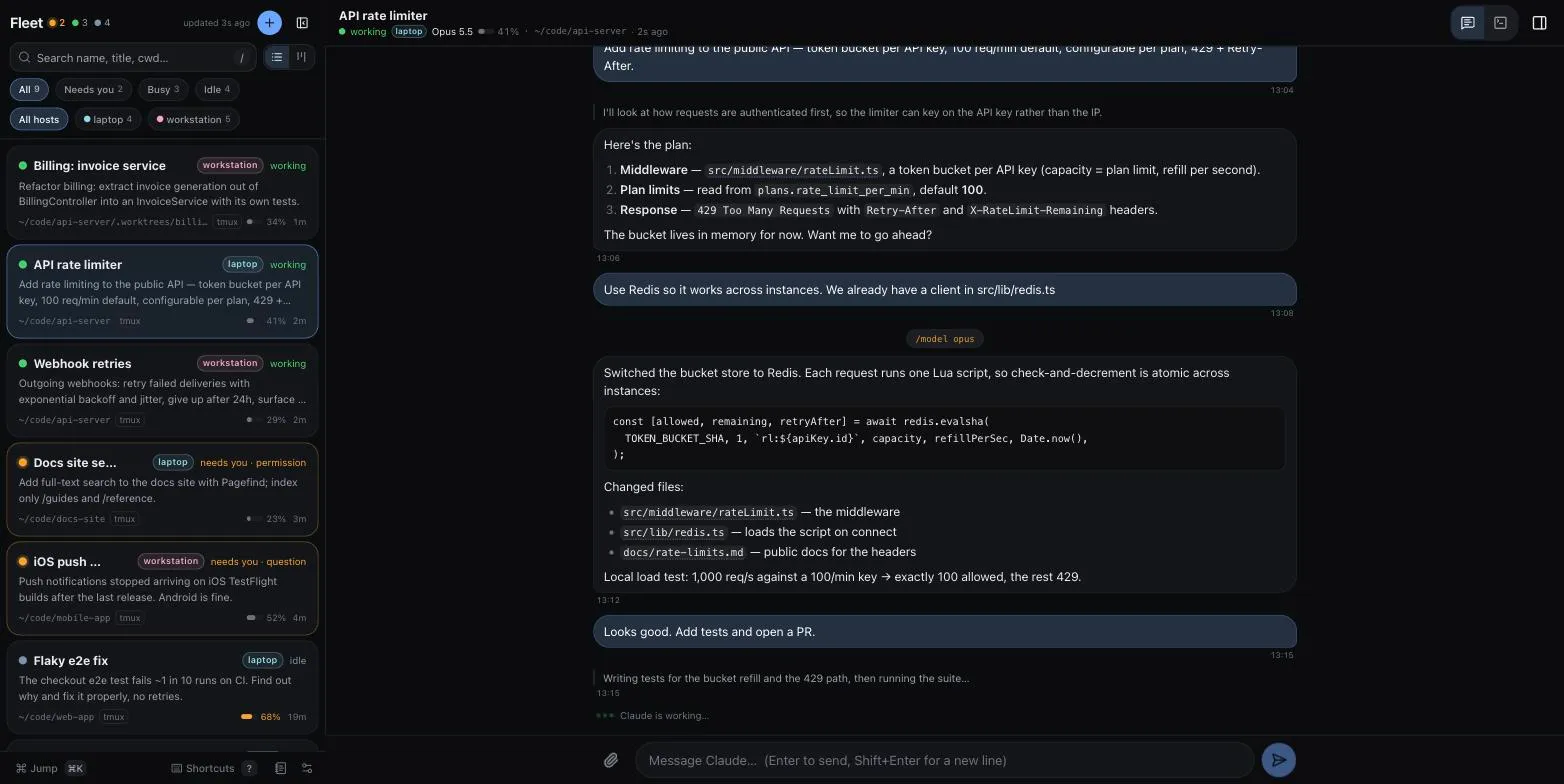
Ten agents on two machines and one of me. Which one needs me right now? Where is it running? What is it actually doing? I got tired of cycling through tmux panes and iTerm tabs to find out, so I built Fleet.
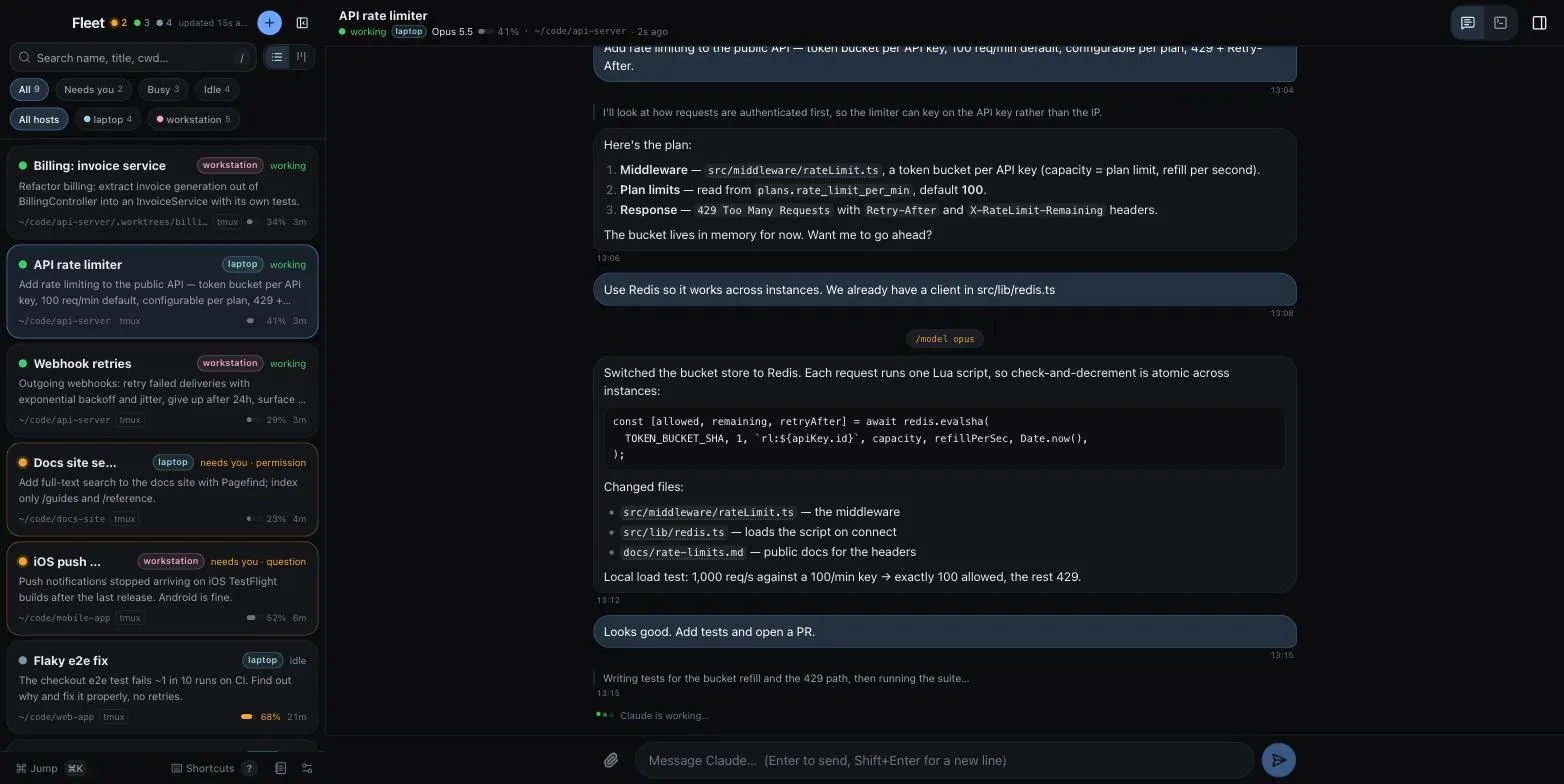
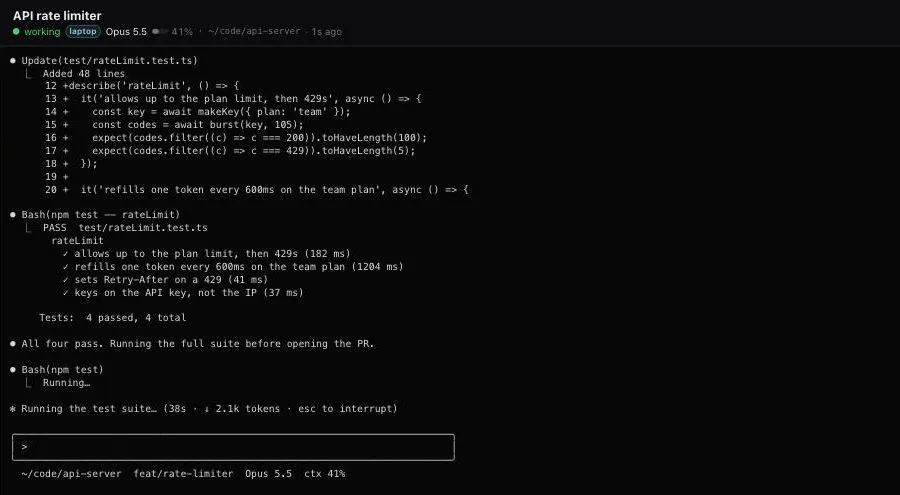
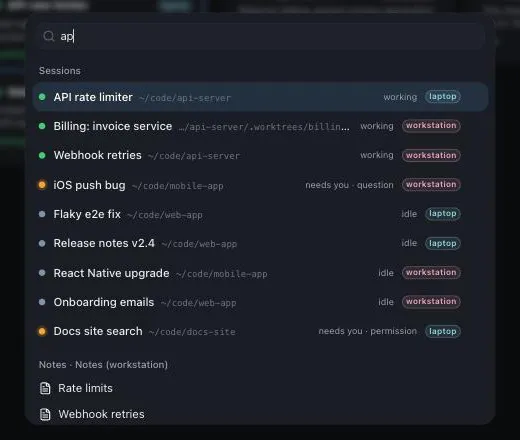
Fleet finds every live Claude Code session — straight from Claude Code’s own registry in ~/.claude/sessions/, whether it runs in a tmux pane or an iTerm tab — and shows its status (busy · waiting · idle), context %, model, host and working directory. From there I can peek, steer, rename, spawn and hand work off. From a terminal, a browser, my phone or a Mac app.
One core, four front-ends
- Rust core library — discovery, tmux and iTerm backends, naming, briefs, grouping, and dispatch to other hosts over ssh.
- CLI and TUI — bare
fleetis a live ratatui dashboard that notifies me when a session finishes or gets stuck;fleet list -a --jsonasks every host in parallel and returns one array. - Web server — zero-dependency Node, one per machine. It serves its own sessions and merges its peers’, so any URL shows the whole fleet.
- React PWA — keyboard-first on the desktop, a home-screen app on the phone.
- Fleet.app — a Tauri 2 shell around the same UI: system WebKit, ~10 MB, traffic lights sitting over the UI’s top bar.
crates/fleet-desktop/bundle.sh --installbuilds it.
The setup it’s built for
An always-on Mac — the workstation — runs Claude Code inside tmux, 24/7. The laptop and phone reach it over Tailscale, so closing the lid never interrupts an agent.
The CLI dispatches by re-running itself: ssh <host> fleet <same args>, with ControlMaster multiplexing so it stays fast. The web servers talk plain HTTP to each other and merge session lists. Each machine has one small JSON config written by fleet init; fleet install --host workstation copies everything over and fleet doctor checks both ends. There’s no authentication in the web app — it’s meant for the tailnet only.
Board and smart grouping
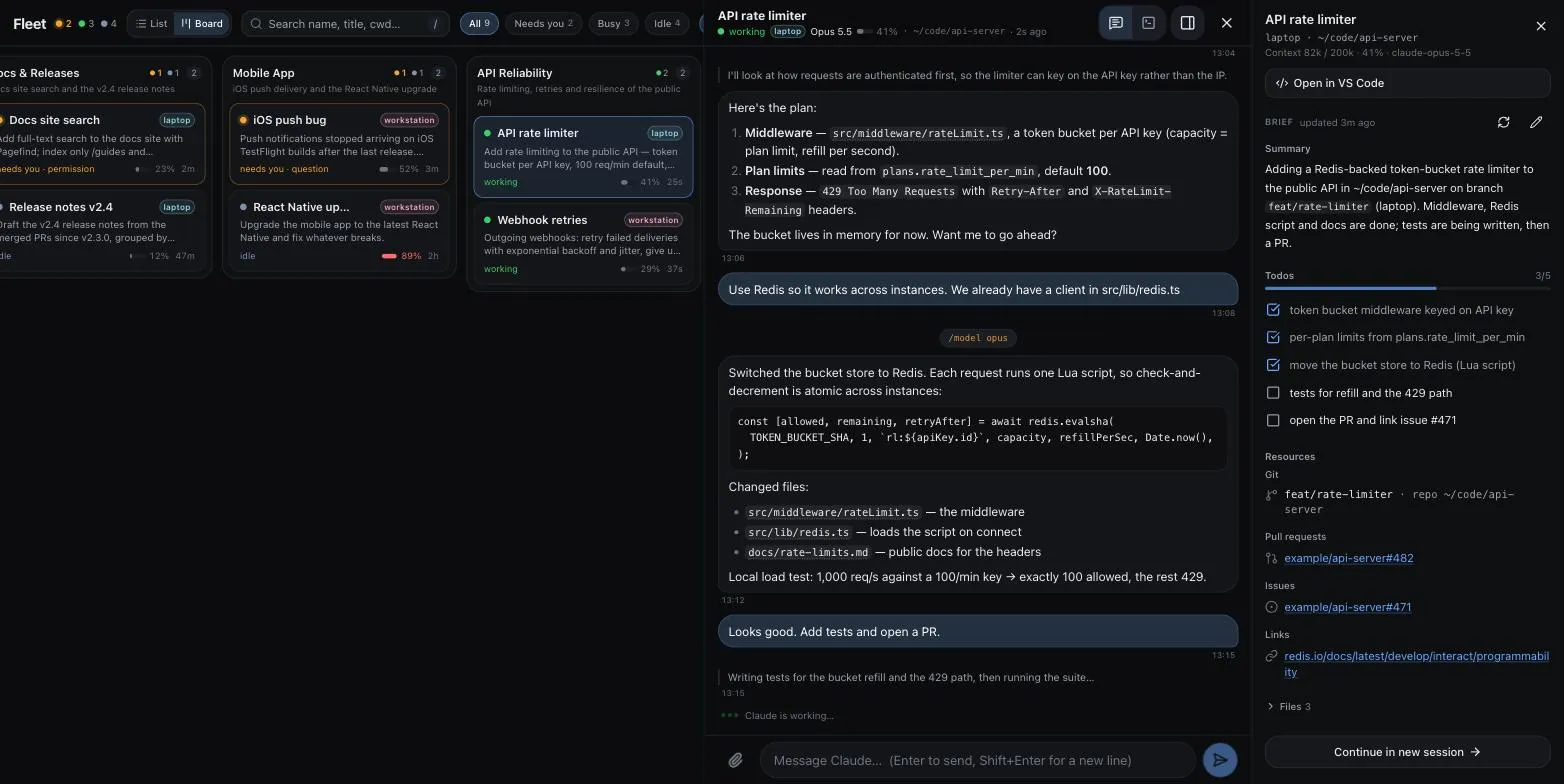
An AI pass (claude -p with haiku, only for sessions it hasn’t placed yet) sorts sessions into work streams on a Kanban board. I can rename groups, drag sessions between them and reorder columns; clicking a card opens the session as a resizable flyout. Without the model it falls back to one group per repository.
Session briefs
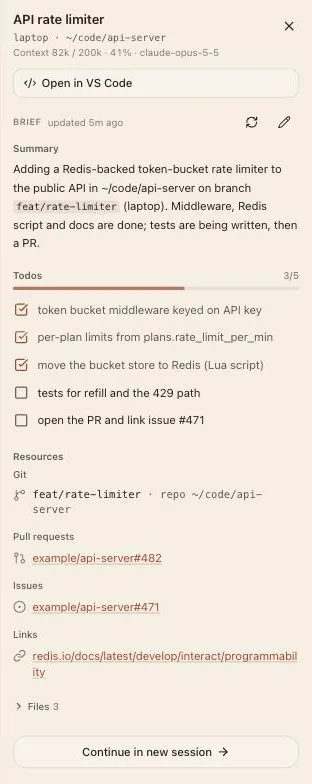
A handover note that writes itself: a summary, resources pulled from the transcript (branch, PRs, issues, files, links) and todos from TodoWrite. I can edit it by hand, and my edits win. “Continue in new session” seeds a fresh session with the brief (fleet spawn --from, fleet brief). It’s one haiku call, gated — only after a session is idle for 60 s, and at most 12 calls an hour.
Steering from anywhere
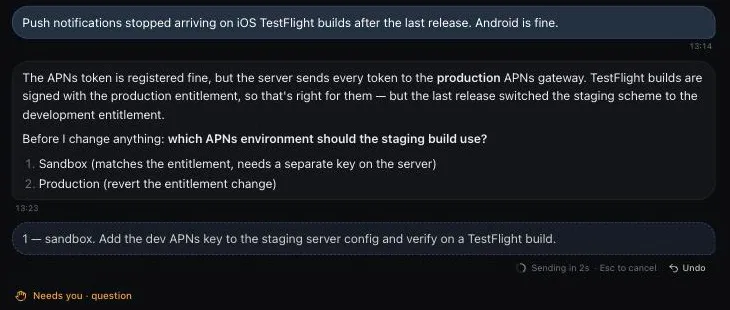
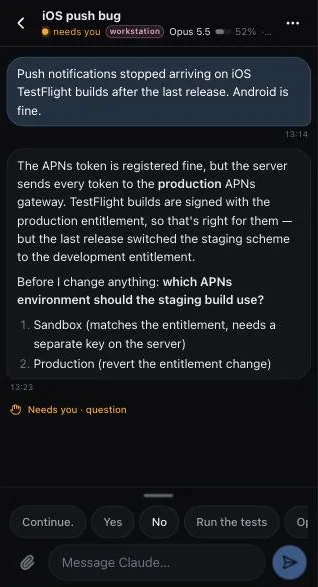
The chat view reads the transcript, with skills, shell commands and pasted text rendered as blocks. Messages go out with a 3-second undo window. Quick replies and keys (Continue, Yes, 1, Esc, Enter, ↑ ↓) are one tap away. Files attach by drag, paste or paperclip and upload to the session’s host. Paths Claude mentions become links with an in-app preview for markdown, code, images and PDFs. A Chat | Term toggle shows the live tmux pane. New sessions start on any host with a model picker, and every session keeps its own draft.
Phone
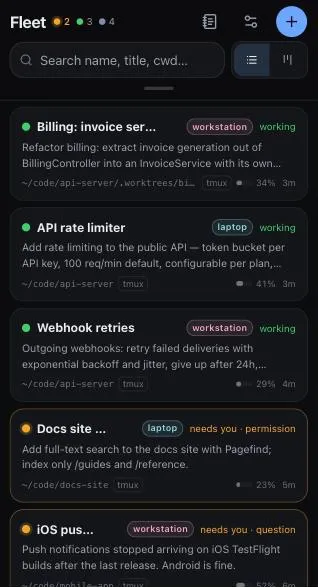
Safari → Add to Home Screen. Swipe down for filters, up for quick replies, right to go back. On the phone the board becomes a grouped list.
Desktop polish
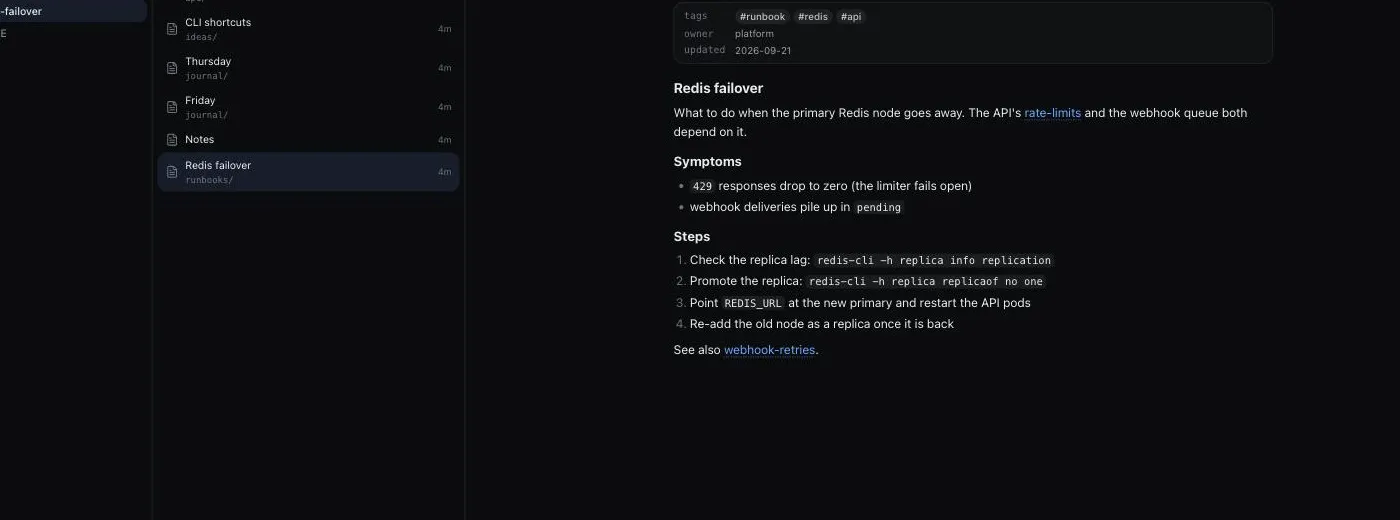
⌘K opens a palette for any session on any host, plus actions. Every shortcut is ⌘/Ctrl + key: ⌘? lists them, ⌘⌫ closes a session (press twice), ⌘Enter starts a new one. There are three themes — Default, Earth and Dusk — and a UI-wide text size. Each session has one title: Claude’s /rename is the source of truth and the tmux name follows as a slug, with opt-in auto titles. And a notes explorer: point web.notes.root at a markdown folder to browse, search, follow [[wiki]] links and “Send to session”.
Status
Actively developed. macOS only for now (iTerm support is macOS-only anyway). MIT licensed, with portions derived from productiveio/cli-toolbox. The repo has the details: setup, architecture, CLI and desktop app.